
Simplify the forms
Who this is for: an owner who finds ERPNext forms long, and whose staff keep filling the same field with the same value.
ERPNext forms carry every field any business could need. Bakulai Form Config trims them for your company: hide a field, or give it a default so nobody has to type it.
Your business type already installed a starter set — that is why a new item does not ask for a unit, and why a shop’s invoice updates stock without anyone ticking a box.
Change it
Section titled “Change it”-
Avatar → Business settings → Bakulai Form Config.
-
In the rules table, add a row: DocType (Sales Invoice, Item, …), Field (the field name, typed exactly:
cost_center,update_stock,stock_uom), Sembunyikan to hide it, Nilai Default for the value to fill in. -
Save. New documents follow the rule immediately — in the browser and through the AI tools alike.
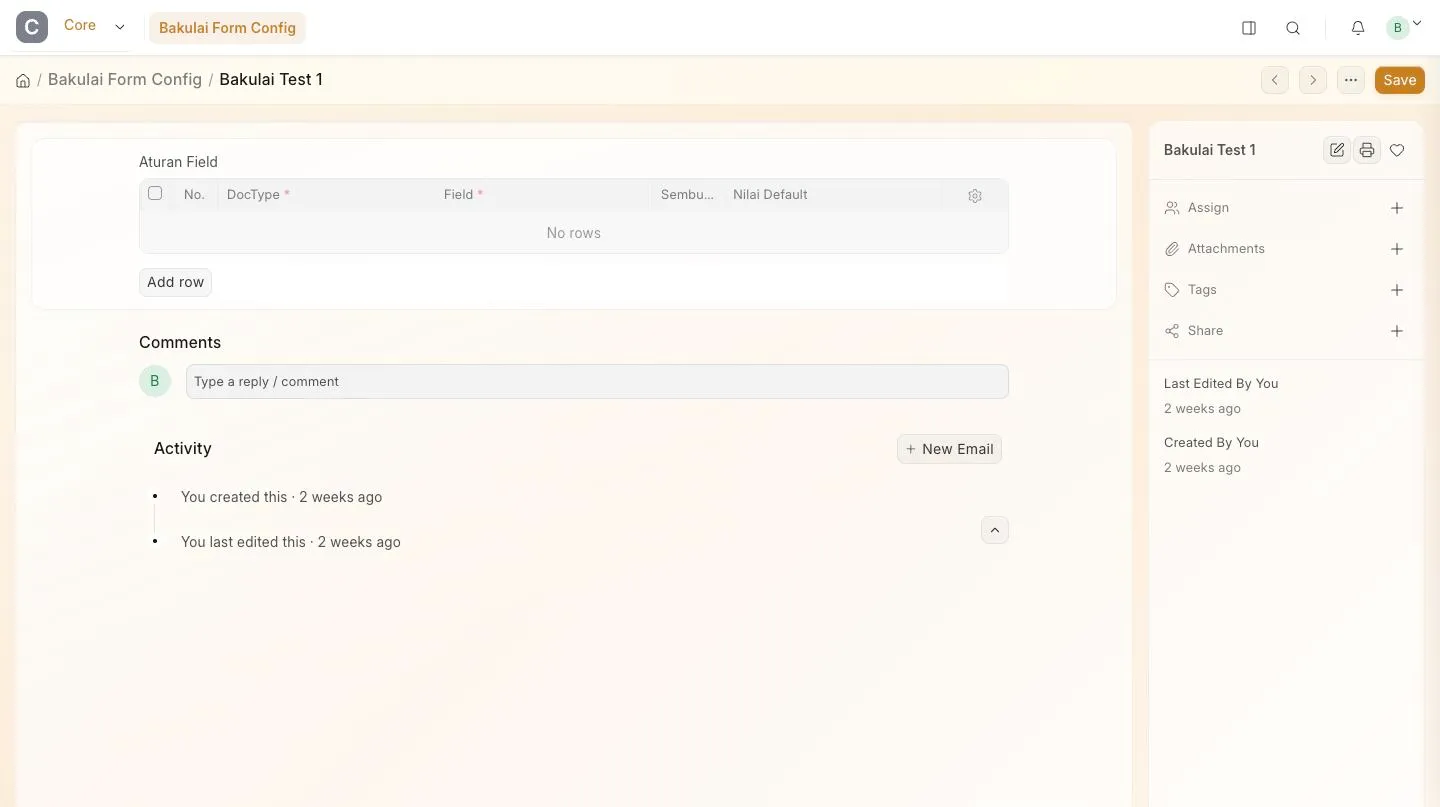
Bakulai Form Config: the rules table for one company
Good rules to start with
Section titled “Good rules to start with”| Want | DocType · Field | Hidden | Default |
|---|---|---|---|
| Track stock on new items | Item · is_stock_item |
— | 1 |
| Never pick a cost centre again | Sales Invoice · cost_center |
✓ | your cost centre |
Sell in Botol instead of Pcs |
Item · stock_uom |
✓ | Botol |
Finding the exact field name: it is the label in lower case with underscores. If you are unsure, ask the assistant — “what is the field name for Due Date on Sales Invoice?”.
Limits & safety
Section titled “Limits & safety”- Fields that keep your data separate and correctly named — company, document status, numbering — cannot be touched.
- This is a convenience layer, not permissions. To control what staff may do, use their role: staff.
- Rules apply per company, so a second business can keep its own.