
Find your way around the Desk
Who this is for: anyone who just opened erp.bakulai.com and is looking at an unfamiliar screen.
The screen
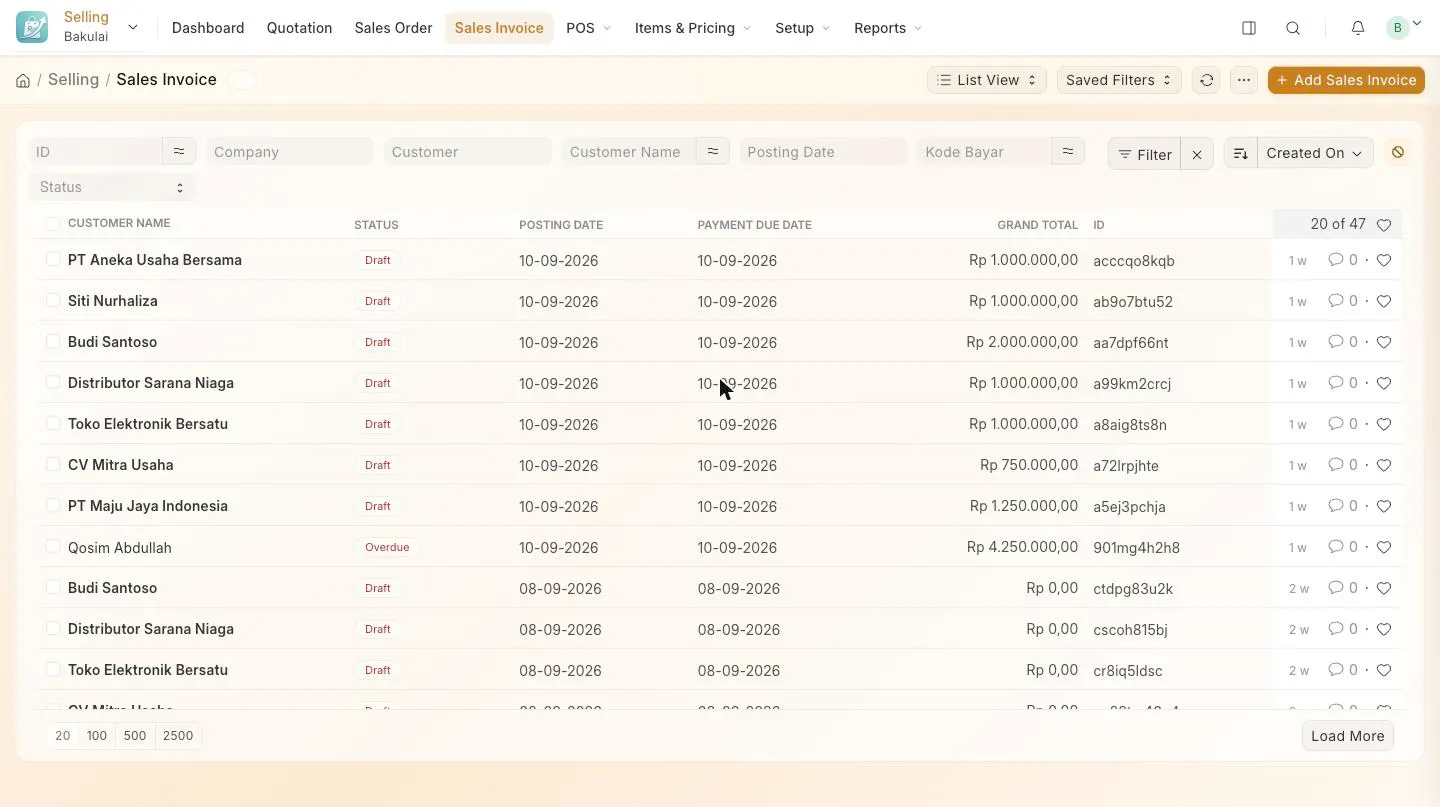
Section titled “The screen”On a wide screen (laptop, desktop) the whole navigation sits in the top bar: the module you are in, its pages next to it, then search, notifications and your avatar. On a narrow screen (phone, small window) the same menu appears as the left sidebar instead — nothing is lost, it just moves.
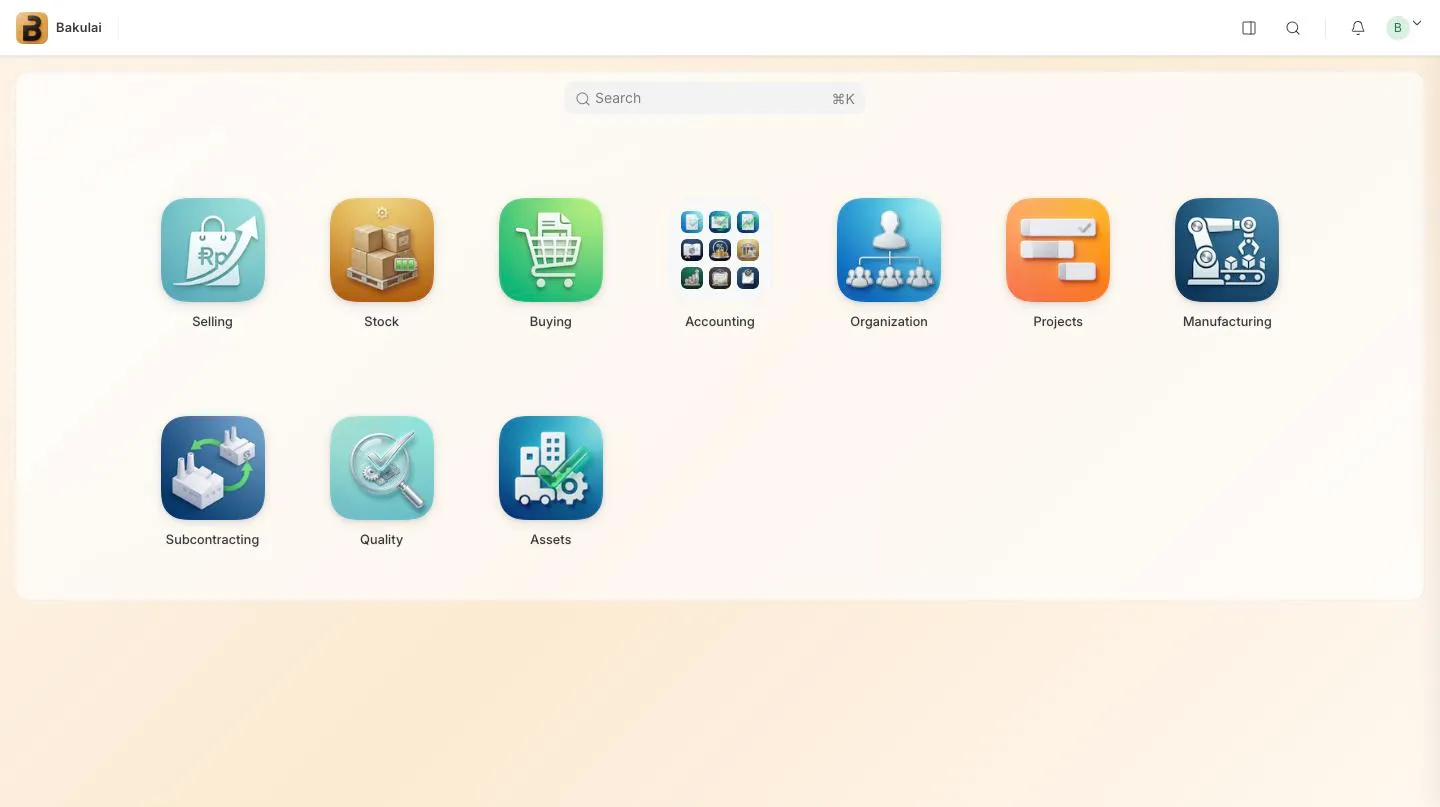
What is in each module
Section titled “What is in each module”Bakulai shows a short menu per module, picked for a small business:
| Module | What you get |
|---|---|
| Selling | Sales Invoice · Sales Order · Customer · Item · Price List · the POS screen |
| Stock | Stock Entry · Stock Reconciliation · Warehouse · the stock reports |
| Buying | Purchase Invoice · Purchase Order · Supplier · Item · Price List |
| Accounting | day-to-day accounting plus the Financial Reports folder |
Modules you do not need are hidden by your business type.
The avatar menu
Section titled “The avatar menu”Everything an owner configures is in one place: click your avatar, top right.
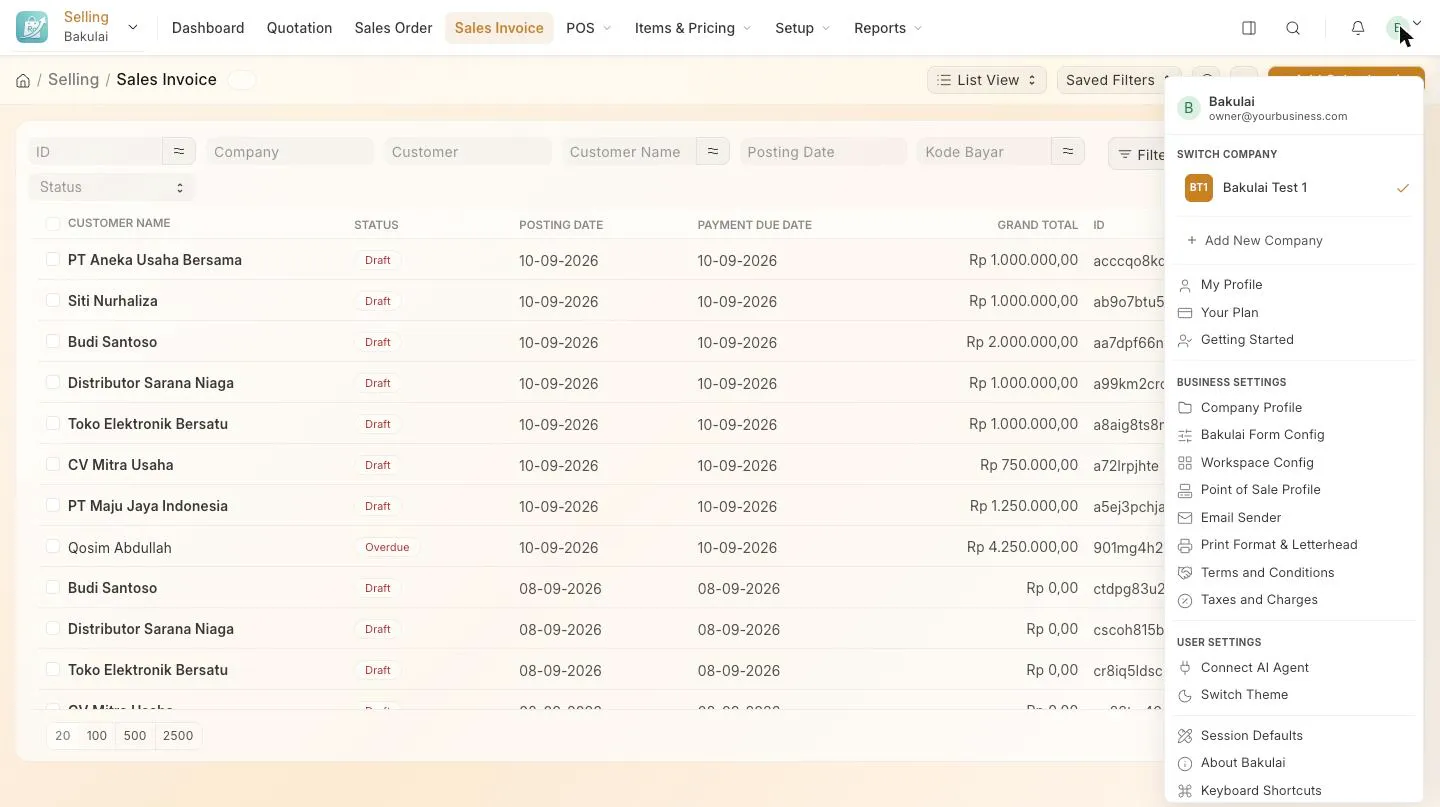
| Entry | What it does |
|---|---|
| Switch company | Move between your companies (Pro and Max) |
| My Profile · Getting Started | Your user record · the setup checklist |
| Your Plan | Plan, status and payment |
| Business settings — Company Profile, Bakulai Form Config, Workspace Config, Point of Sale Profile, Email Sender, Print Format & Letterhead, Terms and Conditions, Taxes and Charges | Your company’s own settings |
| Connect AI Agent | Opens the AI panel on Connected agents: connect Claude, ChatGPT or another agent, or disconnect one |
| Switch Theme · Keyboard Shortcuts · Session Defaults | Light/dark · the shortcut list · default company and date |
| Bakulai Support | Emails support@bakulai.com |
Faster than the menu
Section titled “Faster than the menu”Press Cmd/Ctrl + Shift + A and ask the AI assistant in plain language — “sales this month”, “make an invoice for Budi, 2 boxes of gauze”. It answers from your live data and opens or drafts the document for you.