
Sell and get paid
Who this is for: whoever sells — at the counter, over WhatsApp, or on 30-day terms.
Pick the way that fits the sale
Section titled “Pick the way that fits the sale”| Sale | Use |
|---|---|
| Walk-in, paid now | the POS — one screen, cash or QRIS, receipt printed |
| Order over chat, paid now or on terms | a Sales Invoice, below |
| Big order, price agreed first | Quotation → Sales Order → Sales Invoice (open them from the search box) |
Write an invoice
Section titled “Write an invoice”-
Selling → Sales Invoice → + Add Sales Invoice.
-
Pick the customer. Price list, income account and warehouse fill themselves in.
-
Add rows: item code and quantity. The rate comes from the price list; type over it if you agreed on something else.
-
Check the due date — today for cash, later for terms.
-
Submit. Now it counts: the customer owes you, and for shops and cafés the stock moves with the invoice.
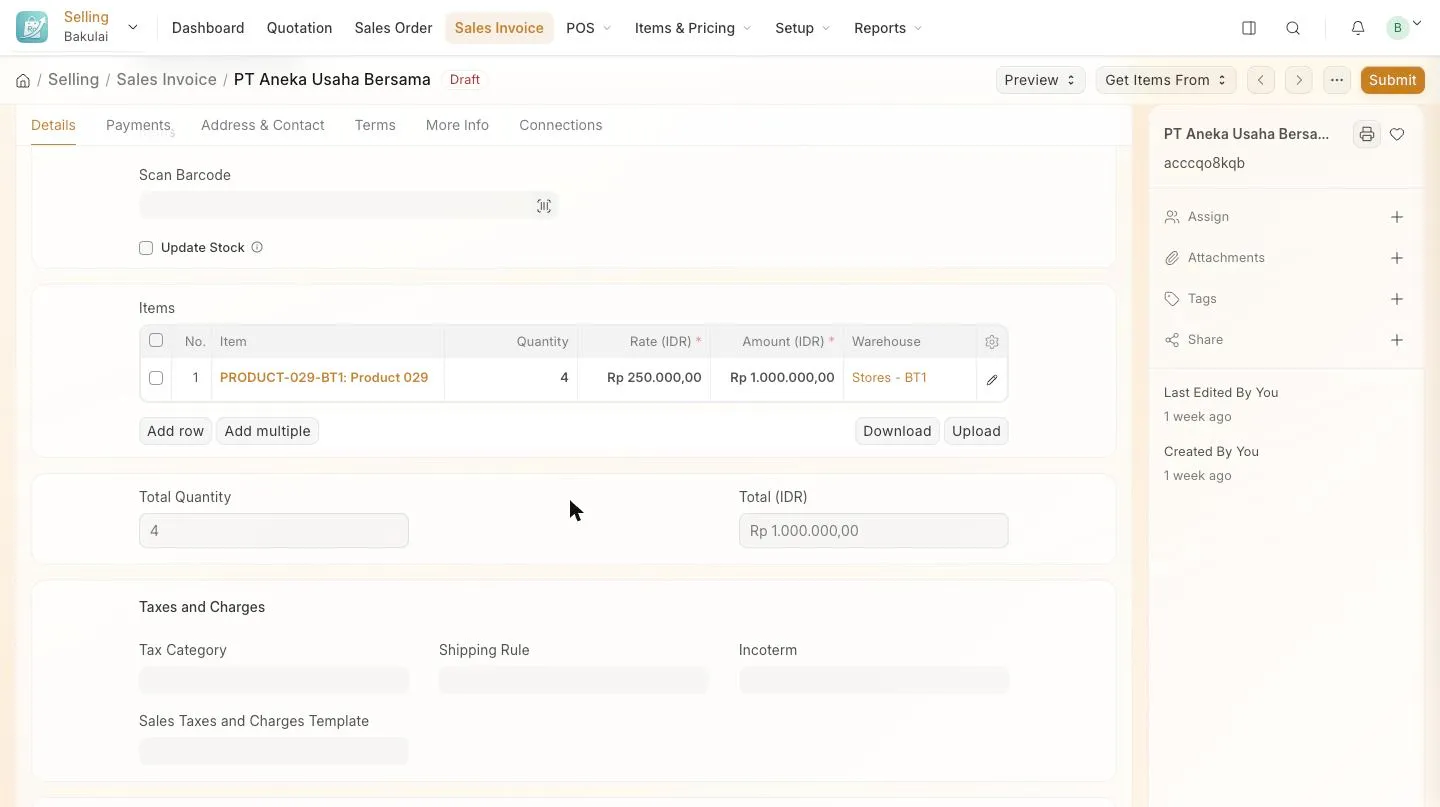
The Items table of an invoice: item, quantity, rate and amount
Send it
Section titled “Send it”Use Print for a PDF, or Email to send it straight from the form. Set your own address first under invoice email sender, otherwise customers see “via Bakulai”. Ask for the Kode Bayar (six digits, printed on the invoice) in the transfer note — that is what makes automatic bank reconciliation match the payment by itself.
Record the money
Section titled “Record the money”-
Open the submitted invoice and press Create → Payment Entry (Pro and Max).
-
Pick the account the money landed in — cash drawer or bank — set the date and the amount, then Submit.
-
The invoice’s outstanding drops to zero, or to the remainder for a partial payment.
See who still owes you
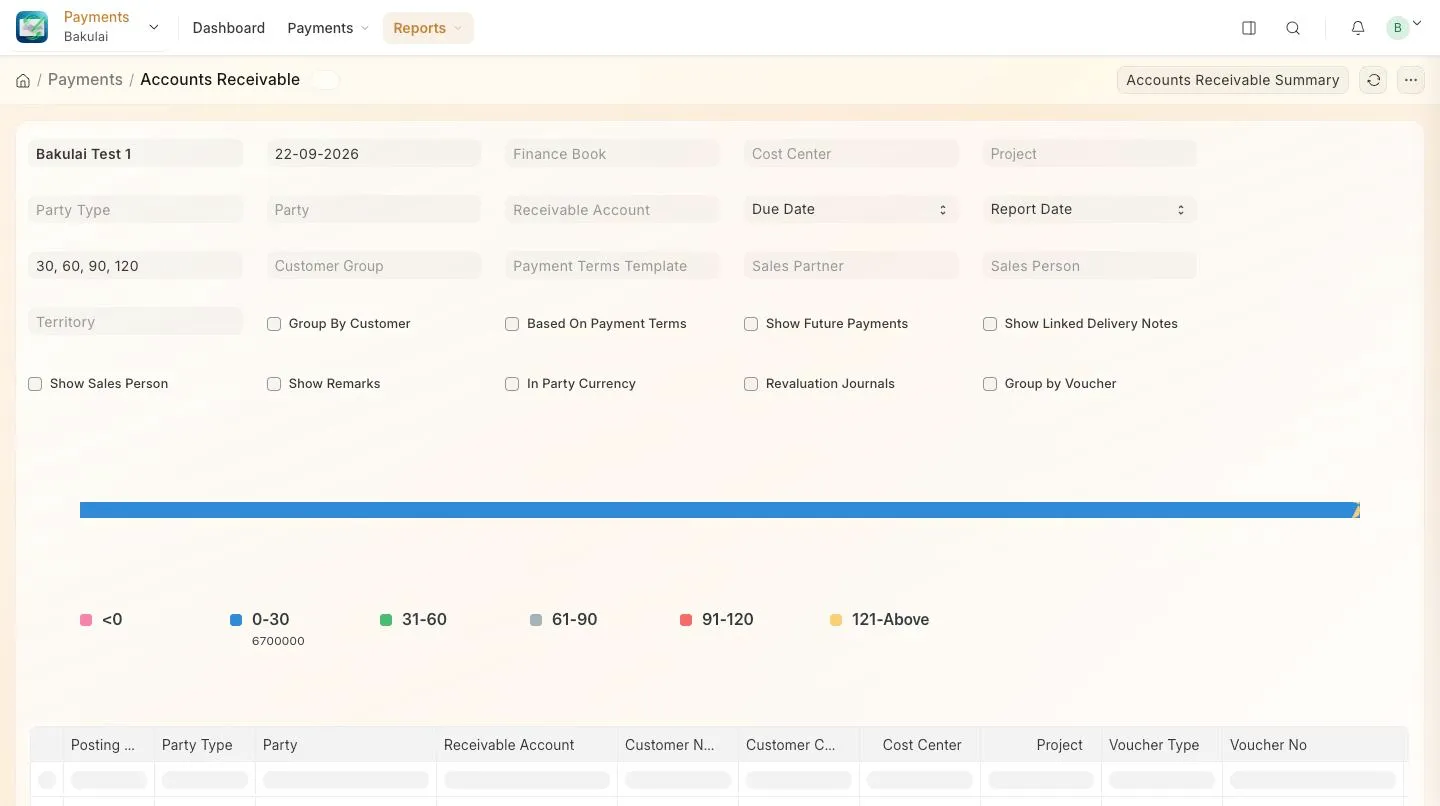
Section titled “See who still owes you”Accounting → Financial Reports → Accounts Receivable, or just ask the assistant: “who hasn’t paid yet?”. More in Reports you will use.
Troubleshooting
Section titled “Troubleshooting”- The price is wrong on every line — the item’s Standard Selling Rate or the price list needs updating, not the invoice.
- “Not allowed to change after submit” — cancel and amend.
- You hit an invoice limit — 100 a month on Gratis, 1,000 on Kasir.