
Invoice look and letterhead
Who this is for: an owner whose invoices should look like their business, not like a demo.
What makes up a printed invoice
Section titled “What makes up a printed invoice”| Part | Where it comes from |
|---|---|
| Logo, header, footer | Letter Head |
| Layout of the lines and totals | Print Format |
| Company name, address, tax id | Company Profile |
| Terms at the bottom | Terms and Conditions |
| Kode Bayar, under the due date | filled in by Bakulai (why) |
Your own letterhead
Section titled “Your own letterhead”-
Avatar → Business settings → Print Format & Letterhead → + Add Letter Head.
-
Name it (Kop Surat 2026). Either upload an image of your header, or write the HTML if you want text and logo side by side. A footer is optional.
-
Save, then open Company Profile and set it as the Default Letter Head — from then on every new invoice, quotation and delivery note uses it.
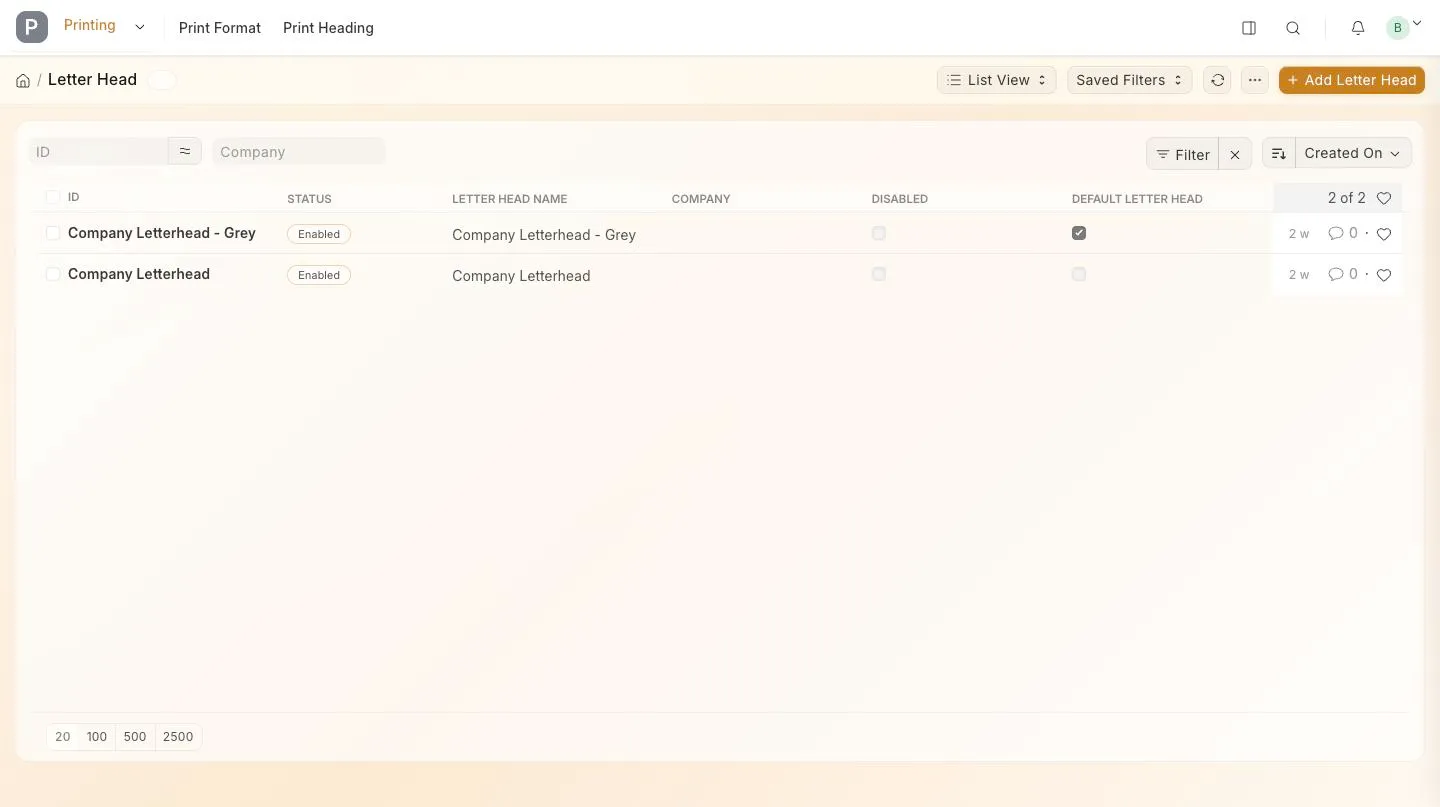
The letterhead list with the default ticked
The layout
Section titled “The layout”Press Print on any document: the format selector at the top switches between the standard layouts. To build your own, open the list of print formats from the same menu and use the Print Format Builder — drag fields, remove columns, save it under your own name, and pick it when you print.
Fill in address, phone, email and tax id on Company Profile first; every layout reads them from there. The email is also where replies go when Bakulai sends on your behalf (email sender).
Terms and conditions
Section titled “Terms and conditions”Avatar → Business settings → Terms and Conditions → write your payment terms, warranty or delivery note once. On an invoice or quotation, pick it in the Terms section and it prints at the bottom.
Troubleshooting
Section titled “Troubleshooting”- The logo does not show in the PDF — the image must be uploaded to the letterhead itself (a link to an external site is blocked in PDFs).
- The old header still prints — the document keeps the letterhead it had when it was created; set the company default, then amend or re-create.
- Wrong currency or number format — that is on the Company Profile and the customer, not the print format.