
Draft, Submit, Cancel — the one concept to learn
Who this is for: everyone. This is the one rule that explains most “why can’t I…” questions.
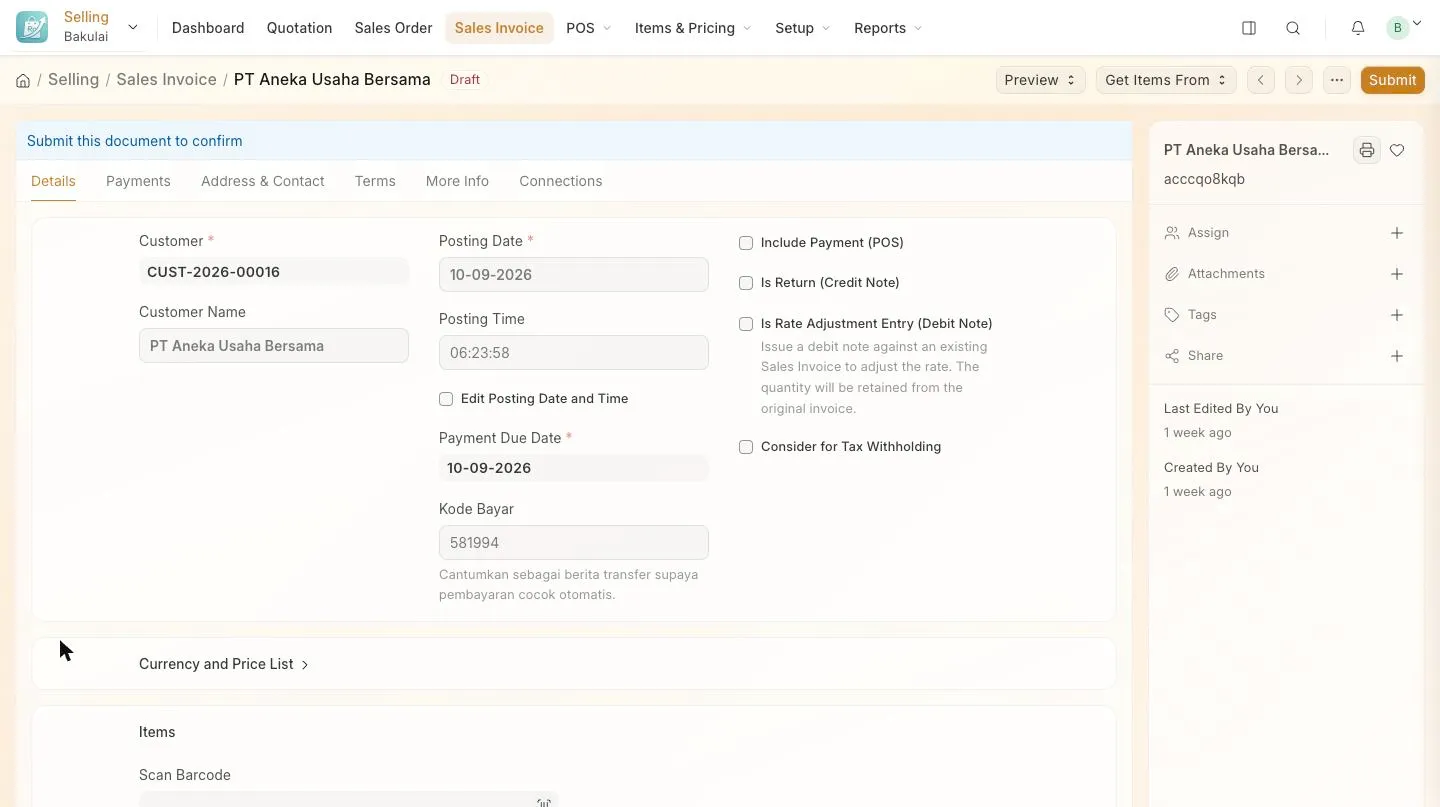
Every business document — invoice, order, payment, stock entry — moves through three states. Nothing counts as real business until you Submit.
| State | What it means | What you can do |
|---|---|---|
| Draft | Saved, but nothing happened yet: no bookkeeping, no stock movement, not part of any report | Edit freely, delete it |
| Submitted | Final. The ledger is written, stock moved, the customer owes you | Print, email, take payment. Edit only a few safe fields (remarks, due date) |
| Cancelled | The submission was reversed — the ledger entries are undone | Amend it into a new document, or leave it as a record |
Fixing a mistake
Section titled “Fixing a mistake”-
Open the document and press Cancel. Bakulai reverses everything it posted.
-
Press Amend. You get a fresh copy you can edit — a new document with its own number, linked back to the cancelled one.
-
Correct it and Submit again.
If the document is still a Draft, none of this is needed: just edit and save.
What else follows this rule
Section titled “What else follows this rule”- The POS submits for you: a paid POS sale is submitted the moment payment is taken — that is why the cashier never sees these buttons.
- AI never submits on its own. Bakulai Agent only drafts documents; a human presses Submit. The assistant in the Desk can press Submit or Cancel for you, but only after you approve that exact action on a card — every time, whatever your settings.
- Deleting is only possible for Drafts and cancelled documents. A submitted document is a legal record.
Troubleshooting
Section titled “Troubleshooting”- No Submit button — either the document is already submitted, or your user role can only create drafts. Ask the owner; roles are set under staff.
- “Not allowed to change after submit” — expected. Cancel and amend.
- Cancel fails because something links to it — cancel the later document first (a payment before its invoice, a delivery before its order).